CRM and other Zocton apps
TraceFlow works with the other Zocton apps by itself, through your shared projects. There is nothing to connect and no key to copy. This page is for anyone who uses TraceFlow with the Entayo CRM, PaceForms or TurboWorkflow.
Where to find it
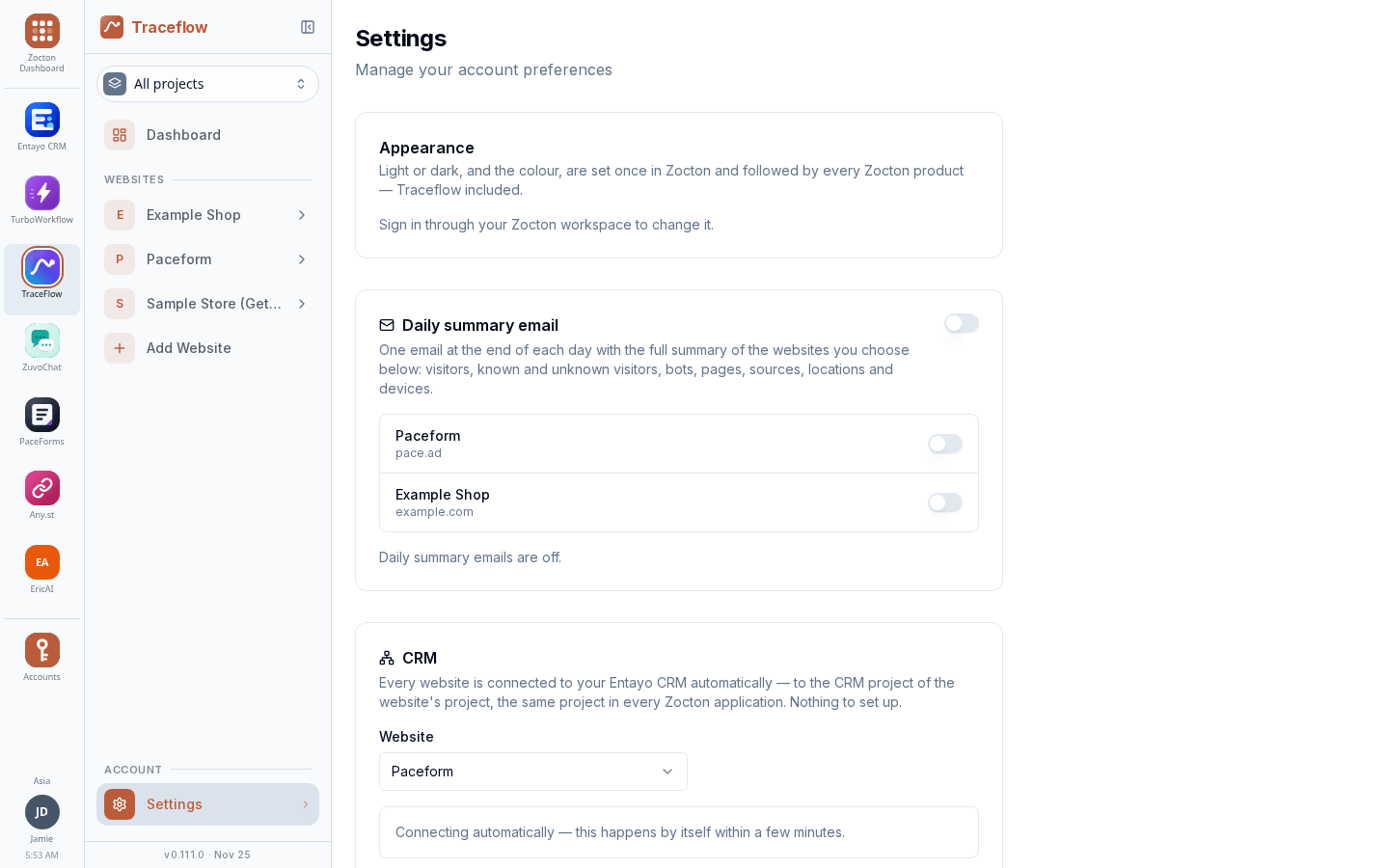
Settings → CRM in the TraceFlow sidebar shows which CRM project each website sends to.
Before you start
- The website is in a project. The same project is used in the CRM, PaceForms and TurboWorkflow — see Projects and team.
Known visitors in your Entayo CRM
Every website is connected to the Entayo CRM automatically, to the CRM project of the website's own project. Then:
- A visitor becomes known — by a
utm_emaillink,window.traceflow.identify(email), a PaceForms form, or Edit Details (see Identify visitors). - Within about a minute, they are a person in the CRM's People, in a list called TraceFlow Visitors. A visitor you name with Edit Details goes at once.
- Each finished visit of that person (after half an hour with no activity) is added in the CRM as a Website Visit activity: the pages in order, when it started, how long it lasted, the landing page, referrer, source, medium, campaign and place.
To check the connection:
- Open Settings in the TraceFlow sidebar and find CRM.
- Pick a Website if you have several.
- Read the card: CRM project: with Connected, or Resuming while it catches up. "Connecting automatically" shows for a new website for the first few minutes.
What goes to the CRM
| Sent | Not sent |
|---|---|
| Email address, first and last name | Unknown visitors and bots |
| City, state and country of the latest visit | Device, browser and user agent |
| Each finished visit of the last 30 days, with its pages | Session recordings |
PaceForms
Every project has a website called Paceform in TraceFlow, with a PaceForms badge. Every PaceForms form of that project carries its tracking script, added by PaceForms. So:
- form visits show like any website's — sessions, pages, locations, devices;
- a respondent who submits a form with an email answer becomes a known visitor;
- session recording is on, with typed answers hidden by default. Change that under Recording privacy settings on the Paceform website's Website Management — see Sessions and replay;
- in PaceForms, you can play a submission's recording beside the response.
The Paceform website needs no install script, no verification and no local testing.
TurboWorkflow
Every link in an email sent with TurboWorkflow carries utm_source=zocton.com,
utm_medium=email and utm_email with the recipient's address. When a recipient clicks
through to a website with the install script:
- they become a known visitor, named by their email;
- their visit shows under Sources as source
zocton.com, mediumemail; - with a campaign set on the link, it shows under Campaigns.
Options
| Option | Where | What it does |
|---|---|---|
| CRM card | Settings | Shows the CRM project and the connection state for each website |
| Recording privacy settings | Paceform website's Website Management | Masking for form recordings |
Good to know
- Nothing to switch off. The CRM connection is automatic for every website, with no connect or disconnect button.
- The CRM's values win. A name already in the CRM is never replaced by TraceFlow; a blank one is filled in.
- The CRM keeps people. A visitor you delete in TraceFlow stays in the CRM. Delete them there too if you need to.
- "Last problem" on the CRM card means the CRM could not be reached or refused a send. TraceFlow tries again every minute, and the note clears on the next success.
- The list may be renamed in the CRM. If you delete it, it comes back with the next known visitor.
- Nothing comes back from the CRM into TraceFlow.