# Identify visitors
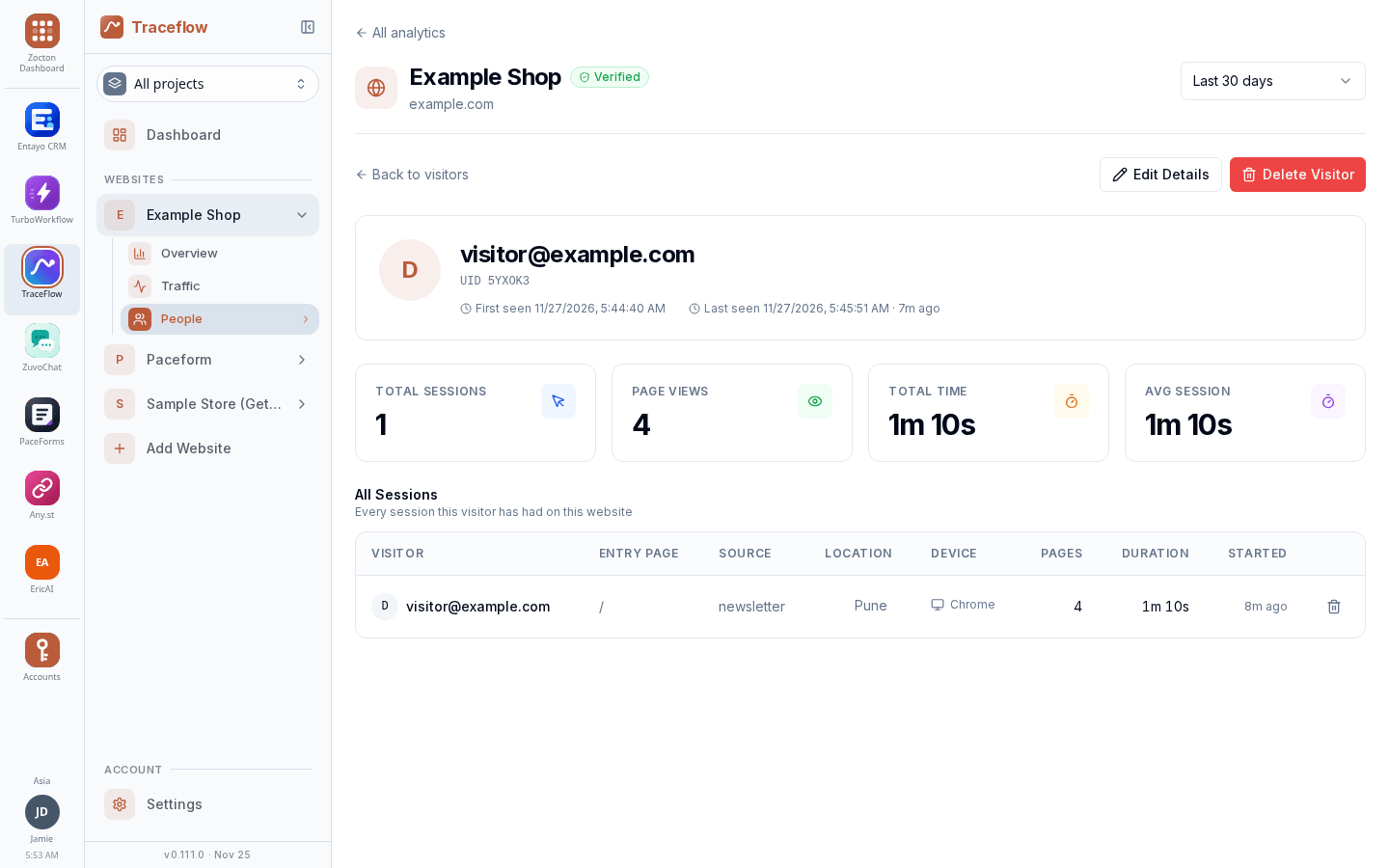
A visitor is **anonymous** until TraceFlow knows their email address. Once it does, the
visitor is **known**: their visits — earlier ones too — carry their email, and they are
sent to your [Entayo CRM](https://gettraceflow.com/docs/features/crm-and-integrations). This page is for anyone who
wants to know *who* visited, not just how many.
## Where to find it
Known visitors show by name or email on the website's **People → Visitors** list, on their
own page and on each of their sessions. Unknown visitors are folded below the list.
## Before you start
- The website's install script is on the page and the website is verified — see
[Install tracking snippet](https://gettraceflow.com/docs/getting-started/install-tracking-snippet).
## Four ways to name a visitor
| Way | What you do | Good for |
| --- | --- | --- |
| **An email link** | Add `utm_email=` to links you send | Emails and campaigns |
| **Your own page** | Call `window.traceflow.identify(email)` | Sign-up, log-in and your own forms |
| **A PaceForms form** | Nothing — it is automatic | Forms made with PaceForms |
| **By hand** | **Edit Details** on the visitor's page | People you already know |
## Name visitors from an email link
1. Add `utm_email` with the person's address to each link to your website. For example:
`https://example.com/pricing?utm_source=newsletter&utm_campaign=autumn&utm_email=ana@acme.com`
2. When Ana clicks it, TraceFlow names her visitor `ana@acme.com`.
3. From then on, every visit from that browser is Ana's, even without the link.
Emails sent with **TurboWorkflow** do this for you: every link carries `utm_email` with
the recipient's address.
## Name visitors from your own page
The install script gives every page `window.traceflow.identify(email)`. Call it when your
page learns who the visitor is — after a sign-up, a log-in or a form submit:
```html
```
1. Add the call where your page knows the email.
2. Submit the form once yourself.
3. Open **People → Visitors**: your visitor now shows the email.
`identify` answers `true` when the email is accepted, and `false` when it is not an email
address. It does not count an extra page view, and calling it again with the same email
sends nothing.
## Name visitors from a PaceForms form
When someone submits a PaceForms form with an email answer, TraceFlow names their visitor
on the project's **Paceform** website. There is nothing to set up — see
[CRM and other Zocton apps](https://gettraceflow.com/docs/features/crm-and-integrations#paceforms).
## Name a visitor by hand
1. Open the visitor's page and click **Edit Details**.
2. Type their **Email**, and if you like a **First name** and **Last name**.
3. Click **Save**.
See [Visitors](https://gettraceflow.com/docs/features/journey-timeline#name-a-visitor-with-edit-details).
## Options
| Option | What it does |
| --- | --- |
| `utm_email` in a link | Names the visitor who opens the link |
| `window.traceflow.identify(email)` | Names the visitor on the page; answers `true` or `false` |
| **Edit Details** | Adds, changes or clears the email and names by hand |
## Good to know
- **The browser remembers.** The email is kept in the visitor's browser storage, so later
visits from the same browser are the same person. A visitor who clears their storage,
or blocks it, starts again as anonymous.
- **One person, one visitor.** When an anonymous visitor is named with an email another
visitor on the website already has, their visits join that visitor. A known visitor on
a laptop and a phone is one visitor with sessions from both.
- **A known visitor keeps their email.** When the same browser later brings a different
email, TraceFlow does not rename that visitor; the new email becomes a visitor of its own.
- **Anyone can put an address in a link.** `utm_email` is taken as it comes, so a shared
or forwarded link can name the wrong person. Fix it with **Edit Details**.
- **A name alone does not make a visitor known.** Only an email does.
## Related
- [Visitors](https://gettraceflow.com/docs/features/journey-timeline)
- [CRM and other Zocton apps](https://gettraceflow.com/docs/features/crm-and-integrations)
- [MCP for AI assistants](https://gettraceflow.com/docs/developers/mcp)
- [GDPR compliance](https://gettraceflow.com/docs/help/gdpr-compliance)